
Shape Smarter Systems

BIM Professional Course for MEP Engineers

The most advanced and industry-accredited program for Mechanical, Electrical, Plumbing & Fire-Fighting (MEPF) Professionals

  • Program Duration

    7 months
  • Next Cohort

    To Be Announced
The Deadline to Submit your application is 31st October

Key aspects include improved collaboration, enhanced design quality, reduced errors, and optimized project delivery.

know more
Learn from Mentors Working at
Course Highlights

0

Mentor - Student Ratio

0 +

Global BIM Experts

0 + hr

Live & Guided Sessions

0 +

Learners

What’s New?

The Industry Has Evolved. And So Have We!

Our reimagined BIM architecture course empowers you with the skills needed to carve your unique path to success.


0+

Enrolled Learners

0%

Average CTC Hike

0

Learner Review on Google

The AEC industry is transforming be a part of its future with BIM.

Take the leap and elevate your professional journey.

Insights & Innovation Driven Curriculum

shrelink at the forefront of the industry, brings together research of 1000+ Job Descriptions to create curriculum in conjunction with 200+ Global BIM Industry Leaders for MEP Program. Each course is delivered and guided by 30+ industry professionals.

Contact Us

Interactive & Activity Based Learning Experience

Master industry-relevant workflows with 100+ micro-projects and build your portfolio through 3+ capstone projects in infrastructure, residential, and mixed-use developments. Create/ Access 10+ toolkits to kickstart your MEP BIM projects.

Contact Us

Access to Shrelink Launchpad

Over 10 professional counseling sessions tailored for freelancers and working professionals, providing personalized 1:1 guidance, portfolio and CV creation, LinkedIn optimization, mock interviews, and many more career enhancement tools.

Contact Us
master your craft with guidance from masters

expertise you will acquire

Delivered by practicing and visualizers with years of experience creating visualizations for top studios.

•  Over 3300 professional s trained across 10+ countries

•  Backed by industry recognized certification

•  Tools used by leading studios worldwide

0 +

Learners

0 %

Accuracy

0 +

Project completed


7 Weeks
21 Activities

Start Your MEP BIM Journey: Overview and Essentials

Learning Outcomes

The introductory module of Shrelink’s MEP course gives you a clear understanding of BIM and its workflows within the AEC industry. Engineers will build essential knowledge in mechanical and plumbing systems, including HVAC and plumbing modeling using Revit.

This training emphasizes hands-on skills in creating and editing mechanical parts and ductwork in Revit. You’ll also learn how to efficiently model MEP systems in 3D by adjusting designs with smart workflows and useful Revit add-ins.

Take the first step towards your career advancement!

Enroll today in the most advanced, industry-vetted certificate program.

COURSE

"Connect, Coordinate, Construct: The BIM Advantage for MEP."

INDEX ((9))

Introduction to BIM & MEP Fundamentals

  • What is BIM? Evolution and importance in MEP design
  • BIM vs CAD: Why BIM is the future
  • Introduction to MEP systems (Mechanical, Electrical, Plumbing)
  • Overview of project lifecycle with BIM
  • Autodesk ecosystem for MEP (Revit, Navisworks, AutoCAD)

AutoCAD for 2D MEP Drafting

  • AutoCAD interface and settings for MEP
  • Layer management and MEP symbol conventions
  • Drawing 2D HVAC, electrical, and plumbing layouts
  • Referencing CAD files into BIM workflows
  • Hands-on: Drafting basic 2D HVAC and lighting layout

Revit Fundamentals for MEP

  • Revit interface and project setup
  • Templates, families, and units setup for MEP
  • Understanding views, levels, grids, and discipline segregation
  • Linking architectural models into MEP
  • Hands-on: Setting up an MEP Revit project

HVAC Systems in Revit

  • HVAC components: ducts, air terminals, mechanical equipment
  • Sizing and routing ducts
  • System creation and analysis tools
  • Mechanical system schedules
  • Hands-on: HVAC layout for a commercial office floor

Electrical Systems in Revit

  • Placing electrical components: panels, lights, switches
  • Creating circuits and power systems
  • Lighting systems and calculations
  • Creating electrical schedules
  • Hands-on: Electrical layout for a commercial floor

Plumbing Systems in Revit

  • Pipe systems and fixture placement
  • Connecting hot/cold water, sanitary and vent systems
  • Pipe sizing and slope settings
  • Isometric views and schedules
  • Hands-on: Designing a restroom and pantry plumbing system

Clash Detection & Coordination with Navisworks

  • Introduction to Navisworks Manage
  • Importing Revit and CAD files
  • Running clash tests between MEP and architecture/structure
  • Creating and resolving clash reports
  • Hands-on: Detecting and resolving clashes in a multi-disciplinary model

Final Project & Industry Readiness

  • Scope: Full MEP layout of a commercial office building
  • Documentation: Sheets, schedules, and legends
  • Exporting and presenting MEP drawings
  • Submission of final BIM model and documentation
  • Guidelines for Autodesk certification exam
  • Career guidance: CV tips, portfolio building, interview prep

Deliverables Throughout the Course

  • Weekly assignments (HVAC, electrical, plumbing design tasks)
  • Quizzes on software and BIM workflows
  • Final project: Fully documented MEP Revit model
Mentor Panel

Learn from Experienced BIM Mentors

VARUN MENON
Sr. Information Managment Specialist
RIYA KAPOOR
Sr. BIM Coordinator
ISHAN BATRA
BIM Manager
ANANYA MUKHARJEE
Project Lead - BIM Coordinator

Learn Better with Shrelink's Cutting-edge Platform

Our state-of-the-art Learning Management System (LMS) gives you an improved learning experience with a tech-forward solution. Move on from boring group chats and simple online classes with other BIM online courses.

Gamified All-in-One Platform

From attending your lessons to completing your tasks, you never need to use any other platform while upgrading your skills.

Live Support and Query Resolution

Never let your questions go unanswered. Get your doubts solved in less than 7 hours.

Personalised Reports

Track all Course information in a single platform. From Performance Trackers to Course Leaderboards.

How are we different?

Why Settle for Just Another BIM Program?

We don’t just upskill you, we give you the tools to excel in your path.

Benefit Other Online BIM Courses Other Offline BIM Courses

Weekly live sessions for personalised learning in small groups

No No

Professionally-built cutting edge digital learning platform

No No

1:1 Mentoring and Dedicated Industry Guide Support

No No

Guided career sessions and counselling

No No

Flexible payment options with 0 interest

No No

Live Tool Test

No No

Enroll Now for the To be announced Cohort

Limited seats available*

Enrollment Process
  • Apply to Course
  • Speak to Counsellor
  • Submit your application
  • Complete payment
Book your seat with

₹25,000 Only

Total Program Fee ₹1,95,000

Reserve Your Seat Soon

Shrelink course benefits

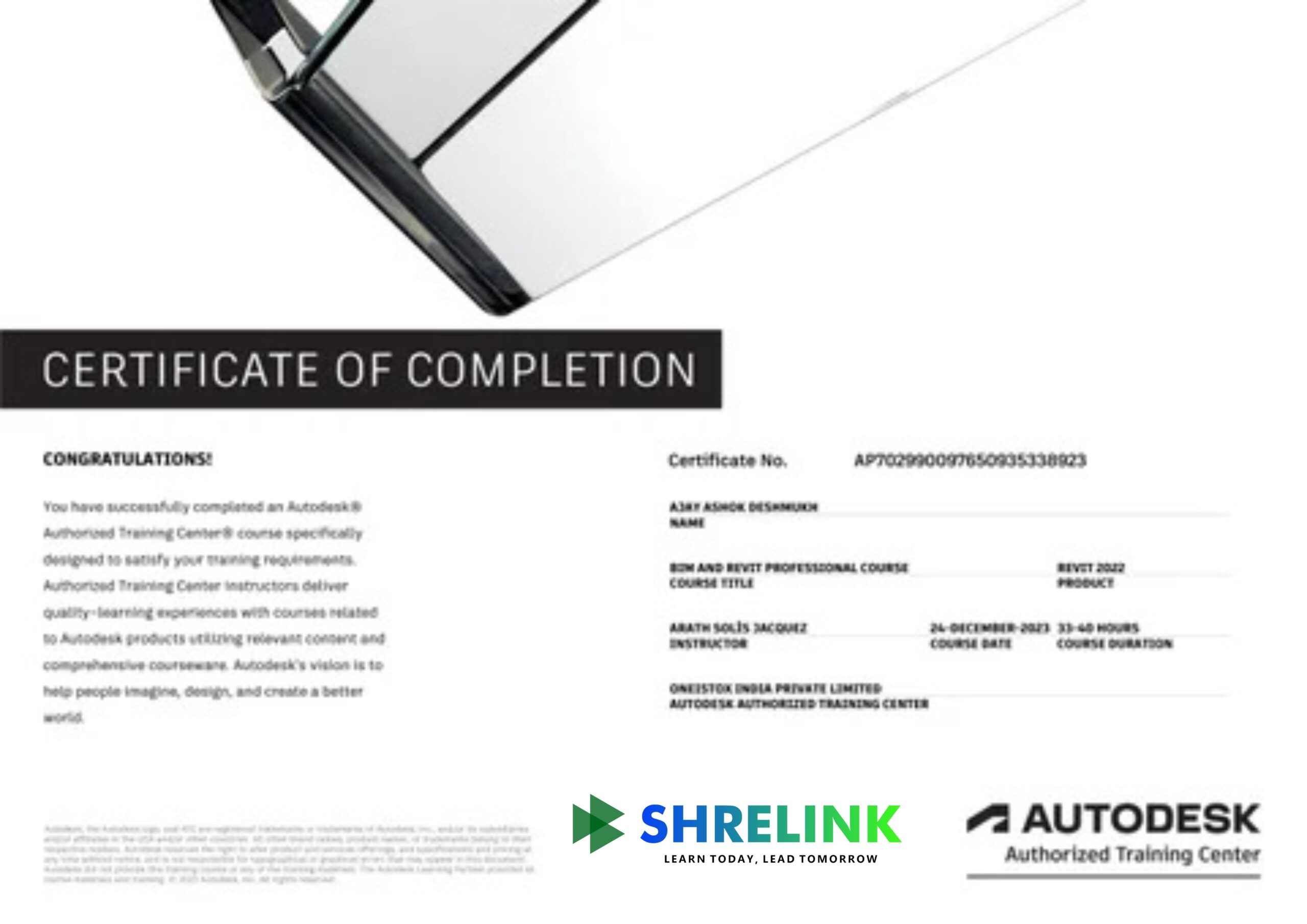
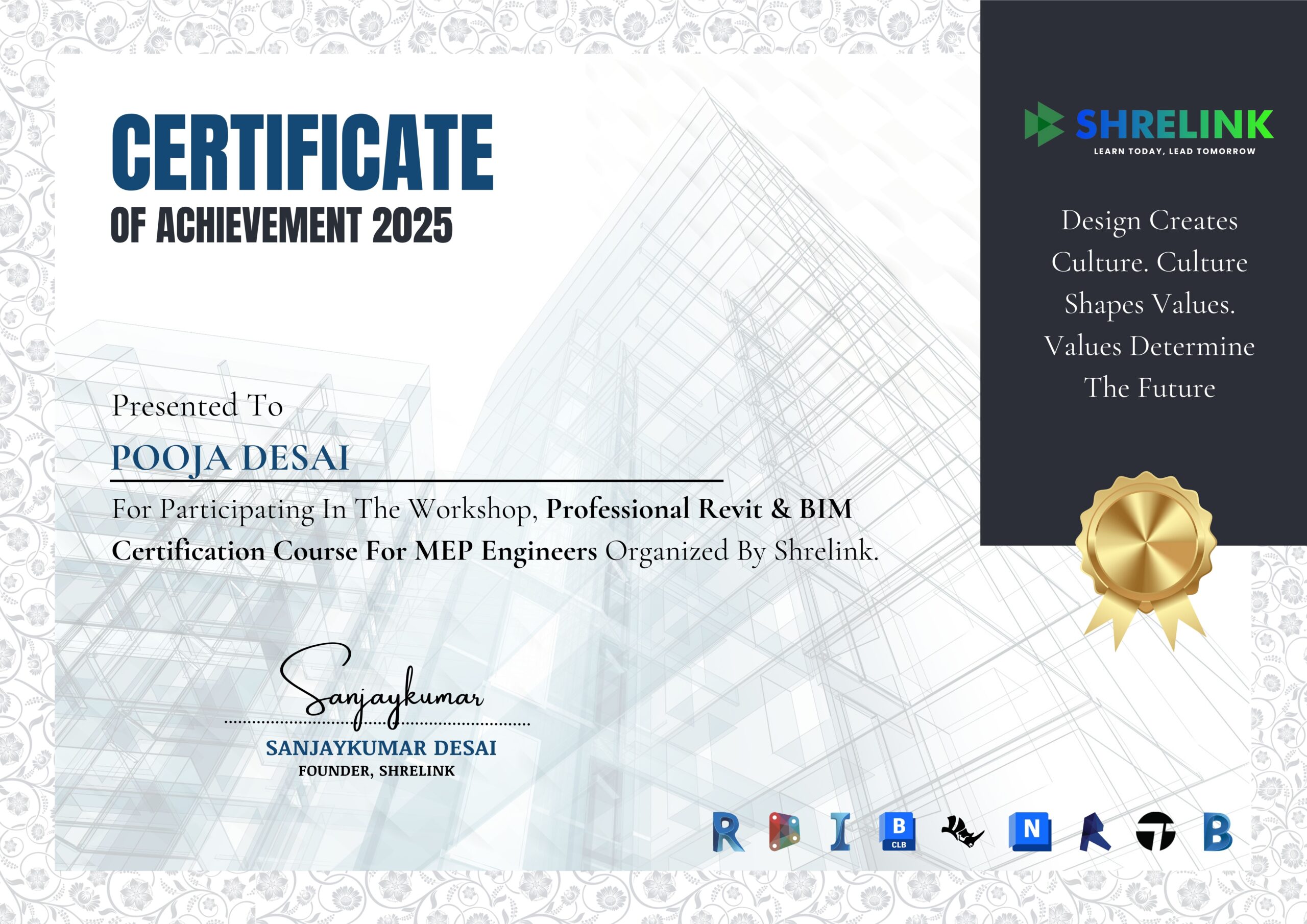
  • Autodesk and Shrelink's Professional Certificates
  • 12+ BIM softwares and plug-ins
  • 80+ hours of live classes
  • Create 10+ toolkits to kickstart your MEP BIM project.
  • Dedicated Program Manager and Industry Guide Support
  • 1:1 Career Mentoring
  • Networking with AEC Industry Professionals
  • ISO 19650 for BIM workflows
Take your career into your own hands

Future-proof your career successes

A trailblazing course designed to prioritise your professional growth at every step

Get Structured CV & Portfolio Feedback from mentors

Expert feedback to make your CV and LinkedIn profile stand out.

Become Interview-Ready

Expert mentors help you identify the ideal career path for you.

Uncover Our Learners' Career Success Report 2025

Explore data, reports, and trends highlighting our success in preparing learners for rewarding careers in AEC.

A global community of trailblazers

Join the Shrelink Tribe

0+

Learners

0+

Mentors

0+

Companies

0+

Conversations

Our Learners Work in Companies That Are Building the World

0%

Average Hike in CTC after Graduating from Shrelink

0%

Highest Hike Achieved by a Shrelink Learner

0%

Career Success Rate of Shrelink Learners

Voice Of the Tribe

Hear our community talk about their success journeys

Ar.Aarav Sharma

New

“Before learning BIM, I didn’t fully understand how critical coordination is between MEP systems and the rest of the building design. Through BIM, I was able to clearly see how mechanical ducts, electrical conduits, and plumbing lines interact with architectural and structural elements. Using Navisworks for clash detection was a real eye-opener—things that would cause major issues on-site were easy to fix in the model. BIM has helped me think beyond just my own discipline and understand how MEP systems must work in harmony with the entire building.”

Rituparna Das

“As an MEP student, I was used to designing in 2D using AutoCAD. Switching to BIM was a completely different experience. Seeing my designs in 3D made it easier to detect design errors and routing conflicts. Modeling systems like HVAC ducts and plumbing lines in Revit MEP helped me visualize flow paths, space usage, and equipment placement far better than I ever could in 2D. It also helped me understand how space constraints in ceilings and risers affect MEP layout. I can say confidently that BIM has improved both my technical skills and my spatial awareness.”

Kavya Nair

“The BIM training I received as part of my MEP coursework was one of the most industry-relevant experiences in my degree. We used Revit MEP to model a complete building services system—including HVAC zoning, lighting layout, and piping networks. What made it valuable was not just learning the software, but understanding how MEP design integrates with architectural and structural models. These are the kinds of skills employers look for. Now, I feel more prepared to join a multidisciplinary team and contribute meaningfully from day one.”

Ishita Kapoor

New

“Honestly, learning BIM for MEP was tough at first. The software can be very complex, especially when it comes to setting up systems correctly and managing families and parameters. There were moments when I felt overwhelmed. But over time, I realized the power it offers—automated scheduling, equipment tagging, and even load calculations. Once I started thinking in systems rather than just lines and symbols, everything began to make sense. I just wish we had more time in the course to explore advanced features like Dynamo or energy analysis.”

Kunal Mehta

New

“BIM is the future of building design, and as an MEP engineer, I believe it’s essential to adopt it early. The ability to simulate performance, coordinate installations, and generate construction-ready documents from a single model is a game-changer. I’m particularly excited about how BIM supports sustainability—for example, helping with energy efficiency analysis and smart building system planning. This isn’t just about 3D modeling; it’s about smarter, more efficient, and more responsible engineering. I’m proud to have started my BIM journey during my studies, and I plan to keep learning as technology evolves.”

Rohan Iyer

“This BIM course taught me how to model and coordinate mechanical, electrical, and plumbing systems effectively. Learning Revit MEP helped me visualize complex building services and avoid clashes early in the design process.”

FAQ'S

Have any more Questions?

GENERAL ((10))
DETAILED ((10))

What does this course cover?

Modelling, analysis, and coordination of Mechanical, Electrical, and Plumbing systems in BIM.

Who should join this course?

MEP engineers, consultants, and engineering students.

Do I need software knowledge?

No, the course includes hands-on training from basics.

Which tools are taught?

Revit MEP, Navisworks, and BIM coordination platforms.

Does the course teach clash detection?

Yes. You’ll learn how to identify and resolve clashes between disciplines

Will I learn design calculation integration?

Yes, integration of MEP design with BIM workflows is covered.

Are industry standards included?

Yes, you’ll learn global MEP and BIM standards.

Can I coordinate with architects/civil engineers?

Yes, interdisciplinary collaboration is a core focus.

Do I get project files?

Yes, you’ll work with real case study files.

What career benefits can I expect?

It prepares you for BIM MEP roles in engineering firms, contractors, and consultancies.

How does BIM apply to MEP design?

Instead of drawing lines, you’ll model ducts, pipes, and circuits in 3D, which ensures accuracy and easy clash detection with other disciplines.

Will I learn to design HVAC, electrical, and plumbing layouts from scratch?

Yes. The course covers system modeling for HVAC ducts, cable trays, water supply, drainage, and fire systems.

Is this more design-focused or coordination-focused?

It includes both—design modeling as well as coordination with architects and civil engineers.

Does the course teach load calculation or only modeling?

Basic load integration is covered; however, detailed engineering design (e.g., HVAC psychrometry) is assumed to be your existing domain knowledge.

Will I learn Navisworks Manage for clash detection?

Yes. Navisworks workflows for detecting and resolving clashes between disciplines are included.

Do we cover international MEP standards?

Yes, you’ll learn industry standards such as ASHRAE, NFPA basics, and BIM modeling conventions.

Will I learn how to prepare coordinated shop drawings?

Yes, generating discipline-specific sheets for site execution is part of the training.

How does this help in reducing rework on site?

By detecting design conflicts early in the BIM model, rework and delays are reduced significantly.

Do I need prior BIM knowledge?

No, the course starts from basics—but you should understand MEP systems conceptually.

What career opportunities open after this course?

You can work as a BIM MEP modeler, BIM coordinator, or consultant in global MEP firms and contractors.

Begin your next chapter in AEC with Shrelink!

We are here to help you take the industry by storm with advanced, tech-first skills.

Ready to skyrocket your career?