
Lead the change

BIM Professional Course for Civil Engineers

Unlock new civil and structural engineering career levels by upskilling and building on international-scale projects from AEC industry.


  • Program Duration

    7 months
  • Next Cohort

    To Be Announced
The Deadline to Submit your application is 31st October

The future is bright for those who are a part of the digital transformation.

Watch the Video
Learn from Mentors Working at
COURSE HIGHLIGHTS

0

Mentor - Student Ratio

0 +

Global Learning Experts

0 +

Live & Guided Sessions

0 +

Industry Relevent Softwares

WHAT'S NEW?

Master Revit and 10+ BIM software with industry workflows in just 7 months.


0+

Enrolled Learners

0%

Average CTC Hike

0

Learner Review on Google

The BIM market is growing 16% every year.
Are you part of this growth?

Take the Leap Forward. Enter the BIM Field and Transform Your Professional Journey.


50% Average CTC Hike

BIM-focused placement portals, recruitment agencies specializing in the AEC sector, and educational institutions offering BIM training and career services.

Contact Us

Career Guidance

Achieving career success: with guided interviews, portfolio building, strategically enhancing your LinkedIn profile to maximize its visibility and impact.

Contact Us

Individualized support

On standby resolving queries the same day with advanced tools and clear protocols with personalized feedback.


Contact Us
Program Overview

Become a BIM in CIVIL Specialist and accelerate your career in the AEC industry.

Involving data-driven processes engineers to work more efficiently, accurately, and creatively.

This 6-month program helps you launch into a successful career as a Civil BIM Specialist, no matter how little experience you currently have. Our flexible curriculum features an engaging mix of weekly live sessions, mentor interactions, an elective specialisation, and spine project.

Tailored to fit your busy life, this program lets you learn flexibly. By the end of 6 months, you will have gained a BIM in Civil certificate, an impressive portfolio, and access to new job opportunities.


7 Weeks
22 Activities

Introduction to BIM & Civil Engineering Applications

This module introduces you to the fundamentals of Building Information Modelling (BIM) with a focus on civil engineering workflows. Learn how BIM supports infrastructure design, bridges, roads, and structural systems. Develop an understanding of BIM concepts, standards, and digital construction practices. Gain hands-on exposure to Revit, Civil 3D, and Navisworks basics for civil projects.

For the full course structure and learning outcomes, download the syllabus.


COURSE

Be the Future of Civil Infrastructure: Learn BIM

INDEX ((8))

Introduction to BIM for Civil Engineering

  • What is BIM in civil engineering context?
  • Differences between BIM and CAD
  • Importance of BIM for infrastructure and site development
  • Overview of software used: Revit, Civil 3D, Navisworks
  • Real-world applications and case studies

Civil Project Setup & AutoCAD Essentials

  • AutoCAD for civil layouts and 2D planning
  • Site plans, plot boundaries, and level data
  • Importing CAD files into Revit/Civil 3D
  • Coordinate systems and project base points
  • Output: 2D site layout + levels map

Revit for Structural Design

  • Project setup: units, levels, grids
  • Structural elements: foundations, columns, beams, slabs
  • Reinforcement basics (manual rebar placement)
  • Structural analysis model (optional)
  • Output: G+1 structural model of a basic building

Site Modeling with Civil 3D

  • Interface of Civil 3D and data structure
  • Working with topographic surfaces
  • Creating existing ground and proposed levels
  • Alignments, profiles, corridors
  • Output: Road + site grading model

Utilities & Drainage Layout

  • Stormwater and sewer modeling
  • Pipe networks and structures in Civil 3D
  • Water supply line routing
  • Coordination of underground utilities with structure
  • Output: Utility network in plan + profile views

BIM Coordination Using Navisworks

  • Model aggregation (Revit + Civil 3D)
  • Clash detection: structural vs site vs utilities
  • Managing clash reports and issue tracking
  • Exporting coordinated models and walkthroughs
  • Output: Coordinated federated model + clash report

Quantity Estimation & Scheduling

  • Extracting quantities from Revit and Civil 3D
  • Creating schedules for structure, earthwork, pipes
  • Linking data to cost and time (5D overview)
  • Exporting BOQs and construction schedules
  • Output: BOQ + quantity schedule for structural and site elements

Final Project & Certification

  • Full model: Site + Structure + Utilities
  • Final drawing sheet setup and presentation
  • Clash-free model and coordinated BOQ
  • Portfolio tips for civil BIM professionals
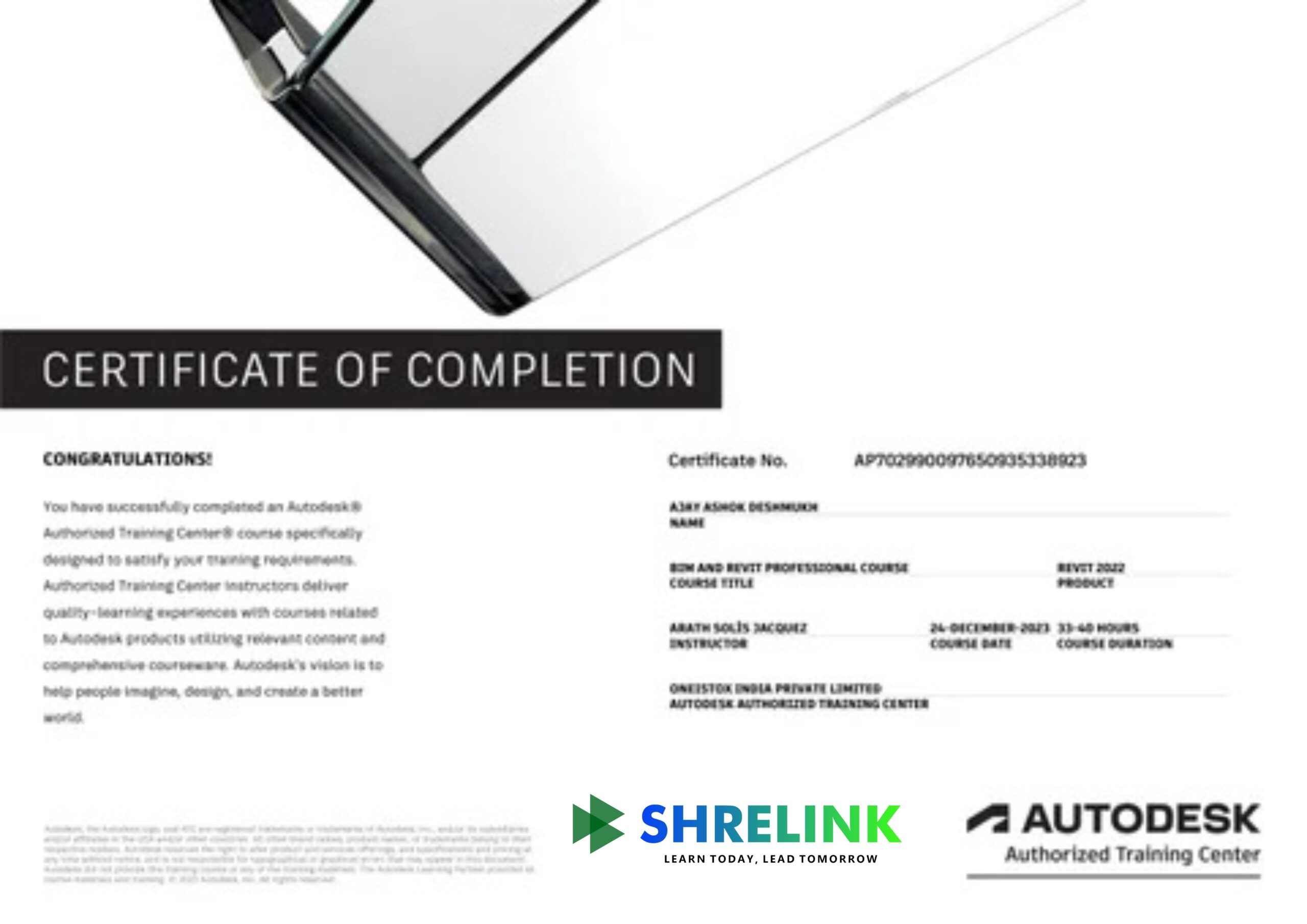
  • Autodesk + Shrelink certificate upon completion
Expert Mentors

Mentor Panel

HARSHIT SHARMA
BIM | VDC | Business Development
KAVYA MEHTA
Digital Lead - Structure
MANAV KAPOOR
BIM Manager
SWATI KULKARNI
Digital Construction Coordinator

Learn Better with Shrelink's Cutting-edge Platform


Lifetime access to content

This course offers lifetime access to all learning materials, allowing you to learn at your own pace. Revisit content anytime to refresh skills, stay updated, and continue your growth journey.

Live mentor sessions + recordings

Gain access to live mentor-led sessions for real-time guidance, feedback, and interaction. All sessions are recorded, so you can revisit key insights and learnings anytime at your convenience.

Personalized feedback

Personalized feedback refers to tailored and specific feedback provided to individuals and groups based on their unique characteristics, performance, and goals. It is a powerful for you enhancing learning outcomes and driving growth and improvement in various settings, including education and the workplace.

24/7 doubt resolution through our AI & support team

Get 24/7 doubt resolution with instant support from our AI-powered assistant and dedicated expert team, ensuring your learning never stops and every question gets answered promptly and accurately.

How are we different?

Why Settle for Just Another BIM Program?

We don’t just upskill you, we give you the tools to excel in your path.

Benefit Other
Online BIM Courses
Other
Offline BIM Courses

Comprehensive BIM training with 15+ tools

Some No

Weekly live sessions for learning, revision and practice

BIM Image No

Professionally-built in-house digital learning platform

No No

Personalised feedback and scoring

No No

Guided career sessions and counselling

No No

Flexible payment options with 0 interest

No BIM Image

Personalised learning with small groups

No BIM Image

Empowering next-gen civil engineers

Over 3,000 students have upskilled with Shrelink and landed their dream jobs. Will you be next?


Enrolment Process
  • Apply for the course
  • Speak to an academic counsellor
  • Submit application to check eligibility
  • Complete payment and reserve your seat
Book your seat with

₹25,000 Only

Total Program Fee ₹1,95,000


Reserve Your Seat Soon

Shrelink Course Benefits

  • Simulated project based learning
  • Career counselling and interview prep
  • Lifelong access to course content
  • Learn 8+ AI powered tools
  • Certificates of Achievement
Career Services

Prepare for a rewarding career

From scouting for jobs to nailing your interviews, you’ll have our support every step of the way so that you’re set up for success.


Network with hiring partners

Network with hiring partners via a dedicated placements team.


Choose your Career Guidance

Choose your career guidance to get personalised career counselling.


Sit for 1:1 mock interviews

Sit for 1:1 mock interviews and application guidance sessions.


Get Structured Feedback

Get structured feedback on your resume and portfolio.


Uncover Our Learner's Career Success Report 2025.

Explore Data, reports and trends highlighting our success in preparing learners for rewarding careers in AEC.


A global community of trailblazers

Join the Shrelink Tribe

0+

Learners

0+

Mentors

0+

Companies

0+

Conversations

Our Learners Work in Companies That Are Building the World

0%

Average Hike in CTC after Graduating from Shrelink

0%

Highest Hike Achieved by a Shrelink Learner

0%

Career Success Rate of Shrelink Learners

Alumni Voices

Hear our community talk about their up skilling journeys

Varun Deshmukh

“Before learning BIM, I thought civil engineering was mostly about design and calculations. But after being introduced to BIM, I realized how important it is for managing the full lifecycle of a project. Through tools like Revit and Navisworks, I could actually see how different components—like structural, architectural, and MEP systems—interact in real time. It gave me a new appreciation for construction planning, and now I understand why BIM is becoming a standard in the industry. This has been one of the most practical and future-oriented skills I’ve learned during my degree.”

Tanvi Bhatia

“This BIM course gave me a solid understanding of how to create and manage civil engineering projects digitally. Learning software like Revit and Navisworks helped me visualize infrastructure models clearly and detect clashes early, which is a huge advantage for real projects.”

Ananya Iyer

BIM Coordinator, Colliers

First Job

“I appreciated how BIM integrates different disciplines and helps coordinate civil works with architectural and structural designs. The hands-on exercises made it easier to grasp complex workflows like quantity takeoffs and scheduling.”

Manish Chauhan

“When I first started learning BIM, I found it overwhelming. The software was complicated, and I struggled to understand how everything fit together. But over time, with practice and support from the instructor, I began to see the value. It’s not just a modeling tool—it’s a whole system for managing construction projects efficiently. I especially liked how we used BIM to detect conflicts between the plumbing and structural systems. In traditional CAD, these issues would have been missed until construction started. Now I see why BIM is essential for modern civil engineering.”

Rajeev Menon

Jr. BIM Engineer, Techture

First Job

The things I have learned from Shrelink are exactly what I need to know as an engineer to work on a real life project. Shrelink team has worked hard to review my CV, portfolio and the mock interviews helped me a lot to get my current job at Techture. Its great to see Shrelink making a difference in the careers of young engineers.


Reema Shetty

“I wish there was more focus on advanced civil-specific BIM features, but overall the training was great for building a foundation in digital construction modeling and interdisciplinary coordination.”

Piyush Kulkarni

“The course was very practical and industry-relevant. Learning clash detection and model coordination skills will definitely give me an edge in construction project management and planning.”

Shreya Malhotra

Project Engineer, Kingdom of Bahrain

Upskilling

“The course was very practical and industry-relevant. Learning clash detection and model coordination skills will definitely give me an edge in construction project management and planning.”

FAQ'S

Your Burning Questions, Answered

GENERAL ((10))
DETAILED ((10))

What is the main focus of this Course?

Structural BIM, project planning, and execution for civil engineering.

Who should take It?

Civil engineers, structural engineers, and construction managers.

Which tools are Covered?

Revit (Structure), Navisworks, and 4D/5D BIM tools.

Will I learn Estimation and Costing?

Yes, 5D BIM workflows for quantity and cost take-off are covered.

Does it include Scheduling?

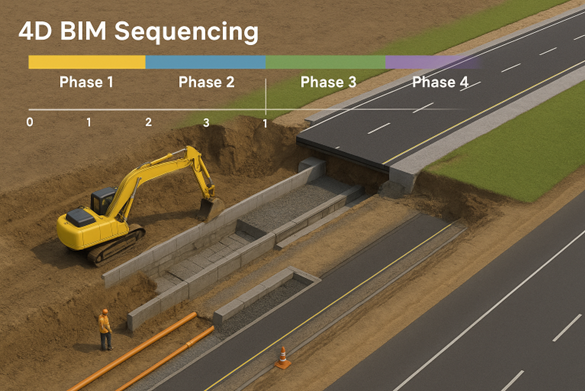
Yes, 4D scheduling (time) and project planning is taught.

Will I work on structural Models?

Yes, including beams, columns, foundations, and slabs.

Does the course cover site Execution?

Yes, integration of BIM with construction management.

Is this beginner-Friendly?

Yes, basics are covered before advanced applications.

Will I get real project Exposure?

Yes, industry case studies are included.

How does this help my Career?

It equips you with BIM-based civil engineering skills demanded in construction and infrastructure projects.

How is BIM useful for Civil Engineering Projects?

It enables structural modeling, project planning, cost estimation, and site execution in a digital environment.

Does the course include Structural Detailing?

Yes, you’ll learn beams, columns, slabs, foundations, and reinforcement basics.

Will I learn quantity take-off and Estimation?

Yes, 5D BIM workflows for quantities and cost are included.

Is scheduling taught in Detail?

Yes, you’ll learn 4D scheduling for construction sequencing.

Do I get exposure to Infrastructure Projects (bridges/roads)?

While the focus is buildings, case studies of civil infrastructure are included.

Will I learn clash detection with Structural/MEP?

Yes, interdisciplinary coordination is covered using Navisworks.

Is site management Integrated?

Yes, you’ll learn how BIM links with construction execution.

What if I’ve only used AutoCAD?

The course starts from basics, so prior BIM knowledge isn’t required.

Are global BIM standards Included?

Yes, you’ll learn ISO19650, LODs, and civil BIM guidelines.

What career Opportunities Follow?

Civil BIM modeler, BIM coordinator, structural BIM engineer, and project manager roles.

Your next chapter in AEC begins with Shrelink!

As you would have gathered, we are here to help you take the industry by storm with advanced, tech-first skills.


Ready to skyrocket your career with BIM?