
Redefine Skylines

BIM Professional Course for Architects

Craft your unique path to success with the most
future-aligned and industry-vetted BIM online course


  • Program Duration

    7 months - Online
  • Next Cohort

    To Be Announced
The Deadline to Submit your application is 31st October

a short, intensive, and practical training program designed to quickly teach specific skills or knowledge needed for a particular job or career path based BIM training course, developed by Industry professionals

Learn What’s New
Learn from Mentors Working at
Course Highlights

0

Mentor - Student Ratio

0 +

Global Learning Experts

0 + hr

Live & Guided Sessions

0 +

Industry Relevent Softwares

What’s New?

The Industry Has Evolved. And So Have We!

Our reimagined BIM architecture course empowers you with the skills needed to carve your unique path to success.


0+

Enrolled Learners

0%

Average CTC Hike

0

Learner Review on Google

The BIM market is growing 16% every year.
Are you part of this growth?

Take the Leap Forward. Enter the BIM Field and Transform Your Professional Journey


Driven by the community and vetted by the industry

To empower professionals like you, we turned to our strong industry connections and our…


read More

A course designed for architects of the future

To equip you with tech-first skills, we focus on BIM technology like 4D, 5D, and…


read More

Built to turn you into a complete professional

To transform you into a Professional 2.0, we don’t merely upgrade your tech skills. We…


read More
BIM Course Structure

Curriculum Crafted and Vetted by Global Experts

Crafted to take your career exactly where you envisioned it, our BIM architecture course focuses on the ideal mix of skill sets. From tech-first foundational skills to improving your soft skills, you transform into a Professional 2.0 by the end of our BIM course.


0 %

Foundational BIM Skills

0 %

Collaborative Skills

0 %

Future-Proof Skills

0 %

Soft Skills


8 Weeks
30 Activities

Start Your BIM Journey: Overview and Essentials

Learning Outcomes

Kick off your Building Information Modelling journey by exploring BIM and Information Processing Workflows, learning the basics of architectural modeling in Autodesk Revit, and diving deeper into advanced topics like family creation and parametric modeling.


Full course structure and learning outcomes of our BIM Architecture Course

Get detailed breakdowns and learn about the advantages of learning with Shrelink.


COURSE

Building with Intelligence, Precision, and Purpose.

INDEX ((10))

Introduction to BIM

  • What is BIM? Evolution from CAD
  • Difference between CAD and BIM
  • BIM in the AEC industry
  • BIM dimensions: 3D, 4D, 5D, 6D, 7D
  • BIM stakeholders and roles
  • International BIM standards and LOD levels

BIM Tools Overview & Project Setup

  • Overview of Autodesk Revit, AutoCAD, and Navisworks
  • Understanding BIM templates and file formats
  • Revit interface and workspace setup
  • Setting units, levels, grids, and views
  • Linking CAD or Revit files

Architectural Modeling in Revit

  • Modeling walls, floors, roofs, doors, and windows
  • Stairs, railings, rooms, and areas
  • Working with families and components
  • Creating sections, elevations, and views
  • View templates and visibility settings

Structural Modeling in Revit

  • Columns, beams, footings, and structural walls
  • Foundations and framing systems
  • Reinforcement tools and analytical models
  • Coordinating structure with architectural model

MEP Modeling Basics

  • Mechanical (HVAC): ducts, terminals, and equipment
  • Electrical: lights, switches, panels, and circuits
  • Plumbing: pipes, fixtures, systems
  • MEP model linking and coordination basics

BIM Coordination and Clash Detection

  • Introduction to Navisworks
  • Aggregating models from different disciplines
  • Clash detection workflows and rule sets
  • Generating clash reports and resolving issues
  • Exporting coordinated models

Documentation and Scheduling

  • Creating sheets and placing views
  • Dimensioning and annotation tools
  • Creating schedules (doors, windows, quantities)
  • Legends, keynotes, and sheet formatting
  • Printing and exporting PDFs and DWGs

BIM for Construction & 4D/5D

  • Linking model to time (4D) using Navisworks
  • Linking model to cost (5D) using schedules and tools
  • Quantity takeoffs from BIM
  • Model-based cost estimation workflows

BIM Collaboration & Cloud Workflows

  • Worksharing and collaboration in Revit
  • BIM 360 and Autodesk Construction Cloud
  • Shared parameters and project standards
  • Working across teams and disciplines

Final Project + Certification Prep

  • Final project scope: Full coordinated BIM model
  • Architecture + Structure + MEP + Sheets
  • Documentation submission (PDFs, schedules)
  • Autodesk certification guidelines and practice
  • Portfolio building & industry guidance
Mentor Panel

Learn Industry-relevant Skills from Globally Experienced Mentors

ADITYA CHATTERJEE
BIM Architect
ARVIND NAIR
BIM Manager (Architectural)
DVIYA JOSHI
BIM Specialist
SHALINI DESAI
Head of Technology

Learn Better with Shrelink's Cutting-edge Platform

Our state-of-the-art Learning Management System (LMS) gives you enhanced learning with a tech-forward solution. Move on from boring group chats and simple online classes with other BIM online courses.


Gamified All-in-One Platform

From attending your lessons to completing your tasks, you never need to use any other platform while upgrading your skills.


Live Support and Query Resolution

Never let your questions go unanswered. Get your doubts solved in less than 7 hours every time.


Personalised Reports

Track all Course information in a single platform. From Performance Trackers to Course Leaderboards.


How are we different?

Why Settle for Just Another BIM Program?

We don’t just upskill you, we give you the tools to excel in your path.

Comprehensive BIM training with 15+ tools

Some No

Global mentors from Top 1% AEC companies

Some No

Weekly live sessions for learning, revision and practice

BIM Image No

Professionally-built in-house digital learning platform

No No

Personalised feedback and scoring

No No

Multiple RIBA & ISO 19650 Capstone Projects

Some No

Guided career sessions and counselling

No No

Flexible payment options with 0 interest

No BIM Image

Personalised learning with small groups

No BIM Image

Enrol Now for the 5th November, 2025 Cohort

You can be a part of the new generation of tech-skilled architects. Over 5000 AEC professionals have already taken the leap with our BIM training. Will you be next?


Enrollment Process
  • Apply to course
  • Speak to counsellor
  • Submit your application
  • Complete payment
Book your seat with

₹25,000 Only

Total Program Fee ₹1,95,000


Reserve Your Seat Soon

Shrelink Course Benefits

  • 60+ live sessions
  • 15+ BIM software access
  • 8 Guided career sessions
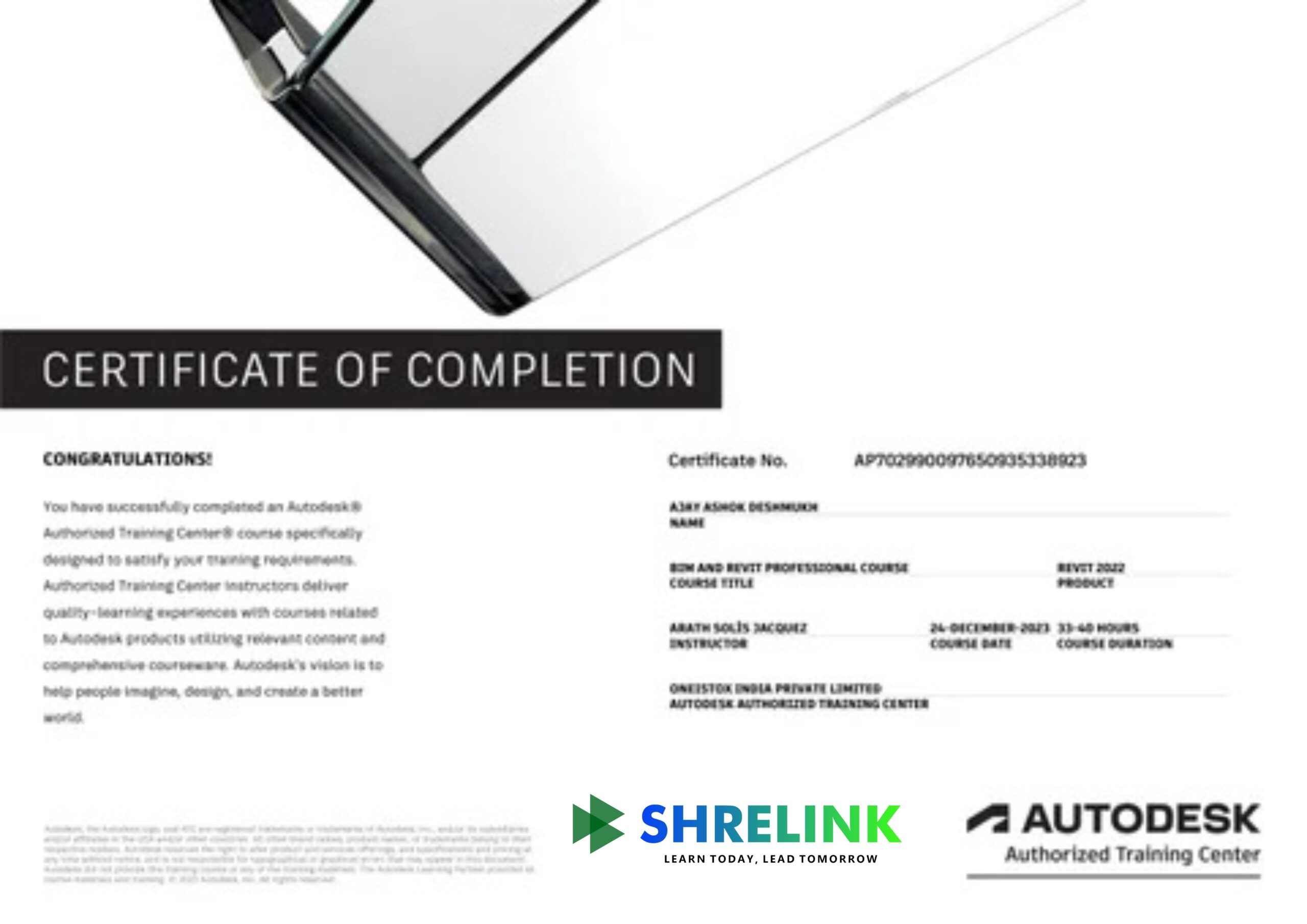
  • Certificates from Autodesk and Shrelink
  • Lifelong access to course content
Control Your Career Journey

Transform Yourself with Holistic Professional Development

Prioritise your professional growth at every step with dedicated career sessions.


Attend Guided Career Sessions

Learn about your future career paths with personalised guidance from experienced professionals in the industry


Crack Interviews with Specialised Training

Equip yourself with the know-how to excel in interviews. Our course includes mock interviews, personalized feedback


Uncover Our Career Success & AEC Report 2023-24

Explore data, reports, and trends highlighting our success in preparing learners for rewarding careers in AEC.


A global community of trailblazers

Join the Shrelink Tribe

0+

Learners

0+

Mentors

0+

Companies

0+

Conversations

Our Learners Work in Companies That Are Building the World

0%

Average Hike in CTC after Graduating from Shrelink

0%

Highest Hike Achieved by a Shrelink Learner

0%

Career Success Rate of Shrelink Learners

Voice Of the Tribe

Don't Just Take Our Word For It. Hear What Our Community Says.

Saurabh Reddy

BIM Architect

2x Hike

“Learning BIM completely changed the way I approach architectural design. Before, I focused mainly on aesthetic forms and spatial concepts using sketching and 2D drafting tools. But once I started using BIM, I realized how important it is to think about constructability, material performance, and how every part of a building fits together. The parametric modeling in Revit helped me design more efficiently, and seeing how the model updates across all views saved a lot of time. It’s not just a tool for documentation—it’s part of the design process itself.”

Nandini Patel

Architectural Designer

First Job

Offered Jr. BIM Architect role at Techture

“What I appreciated most about learning BIM as an architecture student was how much it mirrored real-world workflows. From conceptual massing to final construction documents, everything could be handled in one environment. I was surprised at how much coordination is possible—when you change a wall, it updates in plans, sections, elevations, and even the schedules. It gave me a much clearer picture of how architectural design fits into the broader scope of engineering, structure, and MEP coordination. BIM has made me feel more confident entering the professional world.”

Kritika Verma

BIM Architect

2x Hike

Offered Jr. BIM Architect role at Techture

“In our BIM course, we were paired with civil and MEP students to simulate a real design team. This was my first time truly collaborating across disciplines, and it was eye-opening. I learned how my design decisions impact other systems, and how early coordination can prevent costly conflicts. Using tools like Navisworks for clash detection showed me how critical BIM is not just for design but for construction management. It was stressful at times, but I now understand how essential collaboration is in architectural practice.”

Anirudh Saxena

Architect

First Job

“BIM is powerful, no doubt, but I do feel like the way it was introduced to us focused too much on technical modeling and not enough on how to use it as a design tool. I would have liked more focus on conceptual modeling in BIM environments or interoperability with Rhino and Grasshopper. Also, we didn’t explore sustainability features like energy analysis or daylighting simulation, which are essential for today’s architects. I think BIM has huge potential, but architectural education needs to balance creativity with technical workflows when teaching it.”

Nikhil Bhatia

Architectural Designer

2x Hike

“This BIM course helped me understand how architectural designs can be integrated with structural and MEP systems. Using Revit, I learned to create detailed 3D models that improve project coordination and reduce errors during construction.”


Swati Choudhary

Designer

First Job

Offered Jr. BIM Architect role at Techture

“I enjoyed learning how BIM allows architects to visualize spaces more accurately and generate construction documents automatically. It’s a powerful tool that makes design revisions and collaboration much easier.”

FAQ'S

Everything You Need to Know

GENERAL ((10))
DETAILED ((10))

What will I learn in this Course?

You’ll learn architectural modelling, BIM documentation, detailing, and collaboration workflows using tools like Autodesk Revit.

Who is this course For?

Architecture students, interns, and professionals who want to upgrade from 2D CAD to 3D BIM.

Do I need prior BIM Knowledge?

No. The course starts from basics and moves to advanced levels.

Which software is Covered?

Primarily Revit (Architecture), with introductions to Navisworks and BIM 360.

Will I learn how to create construction Drawings?

Yes. The course covers plan, elevation, section, schedules, and sheets directly from BIM models.

Does the course cover design Presentation?

Yes. You’ll learn rendering, walkthroughs, and presentation workflows.

How long is the Course?

Typically 6–8 weeks (self-paced with lifetime access).

Will I work on real Projects?

Yes, including residential and commercial building models.

Is there a Certificate?

Yes, upon successful completion you’ll get a verified Shrelink certificate.

How will this help my Career?

It makes you job-ready for roles in architecture firms that demand BIM expertise.

How is BIM different from traditional CAD for Architects?

In CAD you draft 2D drawings, while in BIM you build a 3D parametric model that automatically generates plans, elevations, schedules, and quantities. This saves time and reduces errors.

Will I learn how to create complete architectural drawing sets from a BIM Model?

Yes, you’ll learn how to extract floor plans, elevations, sections, and detail sheets directly from Revit, along with automatic schedules.

Does the course cover conceptual design or only Technical Drafting?

It covers both: starting with massing and conceptual design, then developing detailed, construction-ready models.

Will I learn to collaborate with engineers and consultants in BIM?

Yes, you’ll be trained in linking structural/MEP models and managing coordination through shared models.

How much focus is given to Visualization?

Apart from technical BIM, you’ll also learn rendering and walkthrough creation to present designs professionally.

Do I get exposure to real-world projects, not just Tutorials?

Yes, you’ll model both residential and commercial projects based on industry standards.

Will the course help me if my firm still uses AutoCAD?

Yes. You’ll understand how BIM can integrate with CAD and how to gradually transition.

Are global BIM standards (like LODs, ISO19650) Covered?

Yes, we touch upon Level of Development (LOD) and BIM execution guidelines followed internationally.

Do I need a high-performance system for this Course?

A mid-level PC with at least 8GB RAM is fine for learning; we’ll share recommended specs.

Can I get a BIM Architect job after this Course?

Yes. Many firms now demand BIM expertise, and this course prepares you for junior to mid-level BIM Architect roles.

Begin your next chapter in AEC with Shrelink!

We are here to help you take the industry by storm with advanced, tech-first skills.

Ready to skyrocket your career?